How to Use an eSIM in Europe
How to Use an eSIM in Europe
If you’re trying to figure out how to use esim in europe before a trip, you’re probably looking for a simpler way to get mobile data without buying a physical SIM card in every country. The good news is that an eSIM can be one of the easiest ways to stay connected across Europe, as long as your phone is compatible and you activate it the right way.
Yes, you can use an eSIM in Europe on many modern phones. In most cases, you buy a travel eSIM plan, install it on your device, and turn it on when you arrive or just before departure. Once activated, it connects to a local or regional mobile network so you can use data for maps, messaging, ride apps, and browsing.
What an eSIM does when you travel in Europe
An eSIM is a built-in digital SIM that lets your phone connect to a mobile network without needing a plastic card. For travel in Europe, that usually means buying a prepaid data plan that works in one country or across several countries. If you’ve already read about what is esim, the key thing to know here is that the travel process is much more convenient than swapping physical cards at each border.
Most travelers use an eSIM for data only, while keeping their primary SIM active for calls, texts, or two-factor authentication. That setup is especially useful in Europe, where you may cross borders often and still want seamless internet access.
How to use esim in europe step by step
The exact screens may vary by phone and provider, but the process is usually very similar. If you want the simplest version of how to use esim in europe, follow these steps before your trip.
- Check that your phone supports eSIM. Most newer iPhones, Google Pixels, and many Samsung Galaxy models do, but support depends on both the device and carrier lock status.
- Choose a travel eSIM plan. Select a plan that covers the countries you’ll visit and gives you enough data for maps, messaging, and light browsing. If you’re comparing options, a guide on best esim for travel can help you understand the differences between country-specific and regional plans.
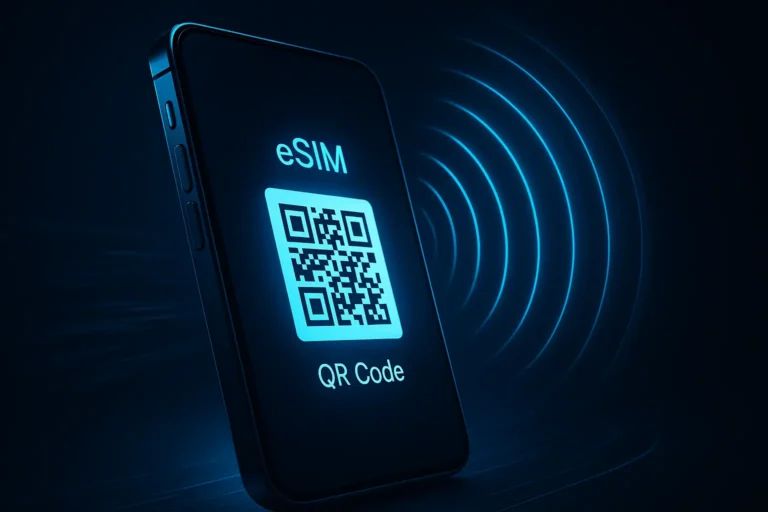
- Buy the plan before you leave. You’ll usually receive a QR code or activation details by email. Some providers also offer app-based installation, which can be easier for first-time users.
- Install the eSIM while you still have stable Wi-Fi. This is often the most important step. If you want a deeper walkthrough, see how to install esim before departure rather than waiting until you land.
- Label the line clearly. Name it something like “Europe Travel” so you can tell it apart from your main SIM.
- Set the eSIM as your mobile data line. On most phones, you can choose which SIM handles data. Keep your primary SIM for calls if needed, but use the travel eSIM for internet.
- Turn on data roaming for the eSIM if required. Many travel eSIMs need roaming enabled to connect to partner networks in different countries.
- Arrive and test the connection. If data doesn’t work immediately, toggle airplane mode on and off, restart the device, or manually select a network if your phone allows it.
What to check before you install an eSIM
Most problems happen before the trip starts, not after. A few quick checks can save you a lot of frustration when you’re trying to use an eSIM in Europe for the first time.
- Device compatibility: Make sure your phone supports eSIM and is not carrier-locked.
- Coverage area: Some plans work only in one country, while others cover multiple European destinations.
- Activation rules: Some eSIMs start when installed, while others activate only when they first connect in Europe.
- Data allowance: Check whether you need enough for maps and messaging or for heavier use like hotspot and video calls.
- Network restrictions: A few plans may not work in every European territory, island, or overseas region.
| Common issue | Likely cause | Quick fix |
|---|---|---|
| No signal after arrival | Roaming not enabled or phone not connected yet | Turn on data roaming, restart, or manually select a network |
| eSIM won’t install | Weak Wi-Fi, expired QR code, or compatibility issue | Use stable Wi-Fi and confirm the QR code is still valid |
| Data works in one country but not another | Plan has limited regional coverage | Check the countries included in the plan |
| Primary SIM stops working | Wrong line set as default | Review your mobile data and call settings |
How to set the eSIM as your travel data line
Once the eSIM is installed, you need to make sure your phone is actually using it for internet access. This is where many travelers get confused, especially if they keep their home SIM active too.
- Open your phone’s cellular or mobile network settings.
- Select the travel eSIM for mobile data.
- Leave your main SIM available for calls or texts if you want.
- Enable data roaming on the eSIM if the provider requires it.
- Turn off cellular data on the home SIM if you want to avoid accidental roaming charges.
If your provider uses an app, it may show connection status, remaining data, and activation details. That can be helpful if you’re switching countries during a trip and want to keep an eye on usage.
Common mistakes when using an eSIM in Europe
Even though the setup is usually simple, a few small mistakes can cause confusion. These are the ones most travelers run into.
- Installing too early: Some plans start counting from installation, not arrival. Always read the activation rules first.
- Forgetting to enable roaming: Travel eSIMs often need roaming turned on, even though you are not paying traditional roaming fees.
- Using the wrong line for data: Your phone may still try to use your home SIM unless you manually switch the mobile data setting.
- Assuming all Europe is covered: Europe is not one single network zone. Coverage can vary by plan and country.
- Ignoring carrier locks: If your phone is locked to one carrier, the eSIM may not activate properly.
Practical tips for getting the best result
To make how to use esim in europe as smooth as possible, a little preparation goes a long way. The easiest option is usually to install the eSIM at home, test that it appears in your settings, and keep the QR code or setup email accessible in case you need to reinstall it.
If you’ll be using maps heavily, traveling between cities, or working remotely, choose a plan with a comfortable data allowance. If you only need messaging and navigation, a smaller plan is often enough. And if your trip covers several countries, a regional Europe plan is usually simpler than juggling separate country eSIMs.
It also helps to keep your phone software updated before travel. Older operating systems can sometimes create issues with SIM switching, network selection, or eSIM activation screens.
When to choose another option
An eSIM is convenient, but it is not the right solution in every case. If your phone does not support eSIM, your best option may still be a physical SIM or a portable hotspot. If you need a lot of data for work, tethering, or video calls, compare the plan limits carefully before you buy.
Likewise, if you are traveling to a remote part of Europe with weaker network infrastructure, check coverage details rather than assuming every plan will work equally well. In some cases, a local physical SIM can still be the better choice.
How to use esim in europe without losing your home number
One of the biggest advantages of travel eSIMs is that you can usually keep your home number active while using the eSIM for data. This is ideal if you still want to receive banking texts, delivery messages, or important calls.
To do this safely, keep your home SIM on for calls and texts, but set the eSIM as the data line. If your carrier charges for international roaming on calls or texts, be careful not to use the home SIM for those services unless you know the cost. Many travelers also turn off “data roaming” on the home SIM to avoid surprise charges.
If you’re comparing esim vs roaming, the main difference is cost and control. A travel eSIM usually gives you a prepaid data package, while roaming through your home carrier can be much more expensive and less predictable.
Conclusion
Learning how to use esim in europe is mostly about preparation: confirm your phone is compatible, install the plan on Wi-Fi, switch mobile data to the eSIM, and check roaming settings before you rely on it. Once that’s done, an eSIM can make travel across Europe much easier by keeping you connected without SIM swaps, shop visits, or roaming shocks.
If you want the smoothest experience, install it before you leave, test it as soon as you arrive, and make sure you know which line your phone is using for data. That small bit of setup is usually what separates a hassle-free trip from a frustrating one.
FAQ
Can I use one eSIM in multiple European countries?
Yes, if you buy a regional Europe plan that includes those countries. Always check the coverage list before purchase.
Do I need Wi-Fi to install an eSIM?
Yes, usually. A stable Wi-Fi connection makes installation much easier and helps avoid setup errors.
Should I activate the eSIM before I fly?
Install it before you travel if possible, but follow the provider’s activation rules. Some plans should be activated only when you arrive.
Will my regular phone number still work?
Usually yes, if your phone supports dual SIM and your home carrier allows it. You can keep your primary line active for calls and texts.
What if my eSIM says activated but there is no internet?
Check data roaming, mobile data settings, and network selection first. If that fails, restart your phone and contact the provider.